In today's digital world, cryptocurrencies have become an integral part of the financial ecosystem. Many users are wondering how to quickly and securely withdraw Bitcoin, Ethereum, or USDT, or how to purchase them using a bank card. Or another method? One reliable solution is to use the trusted online exchanger Ex-money —a service that offers competitive rates, instant transfers, and 24/7 support.
In this detailed guide, using a simple example, we'll explain step-by-step how to exchange Bitcoin for Visa/MasterCard USD via Ex-money. You'll learn how to create an application, enter the details, track the status, and receive funds to your card without any complications.
Before we get to the instructions, let's highlight the key benefits of the service:
Open your browser and go to the official website of the exchanger:
Make sure you're on this specific domain—this will ensure security and protection from scammers.
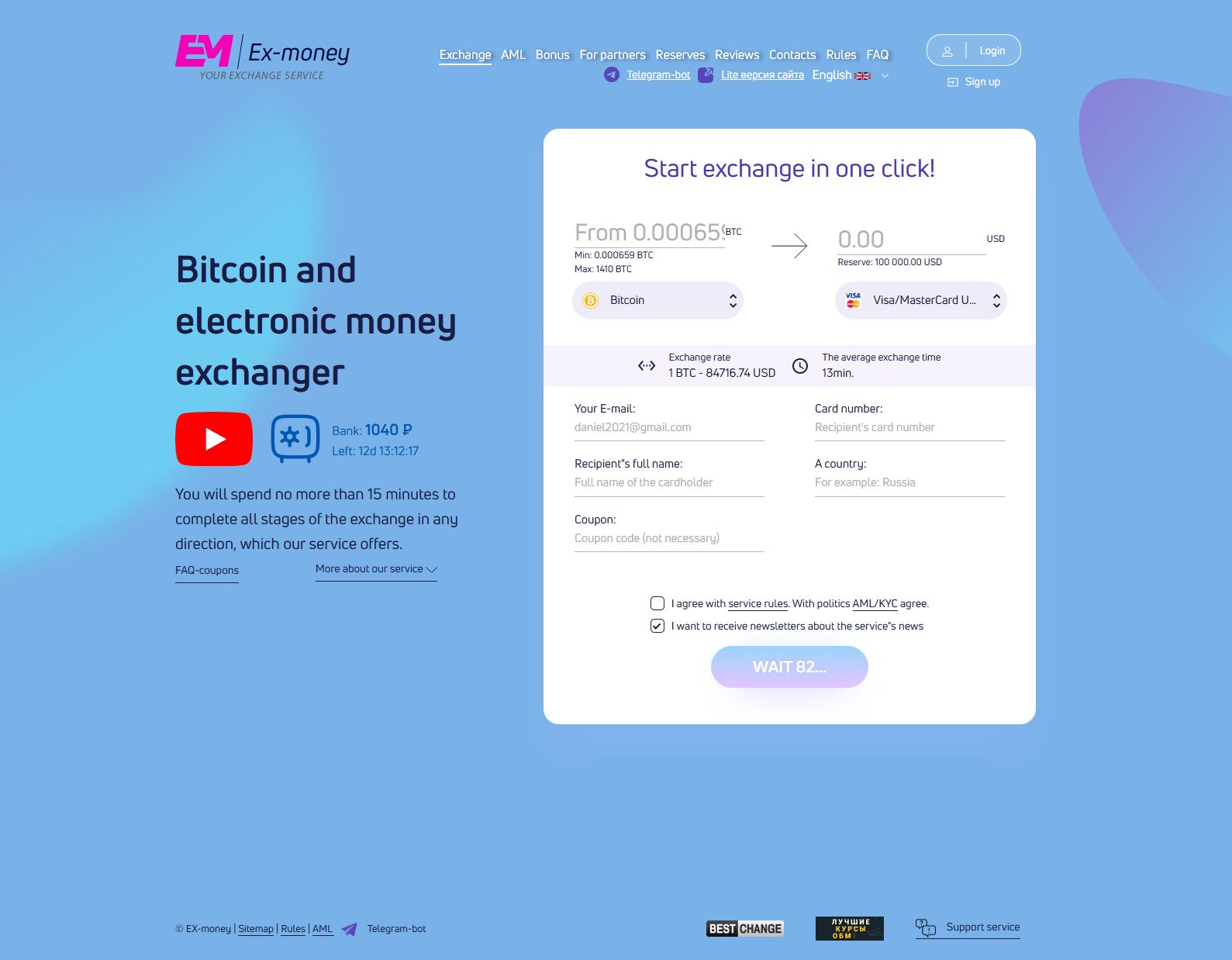
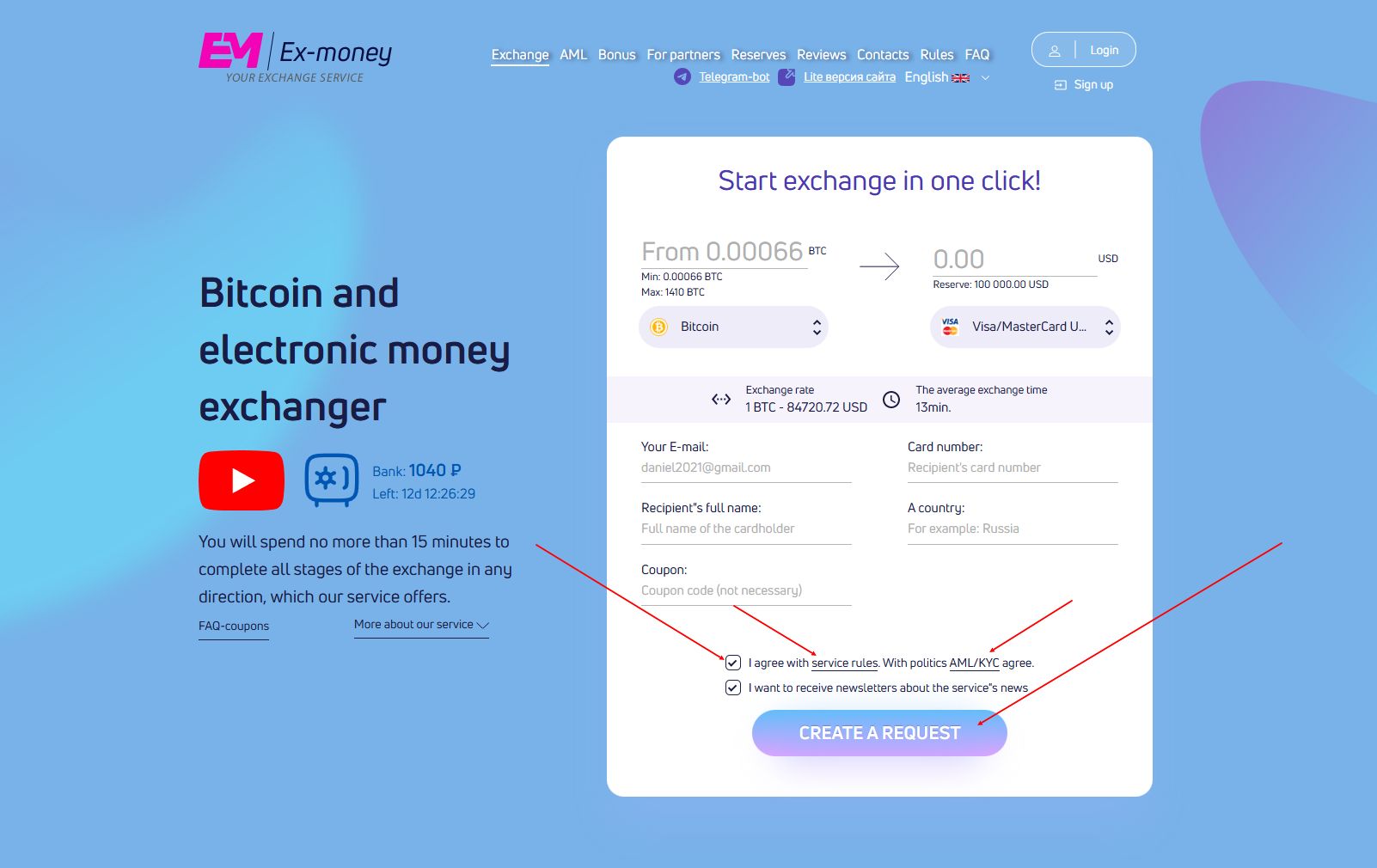
On the main page, you'll see the exchange form. Select "Bitcoin" in the left field and "Visa/MasterCard USD" in the right field.
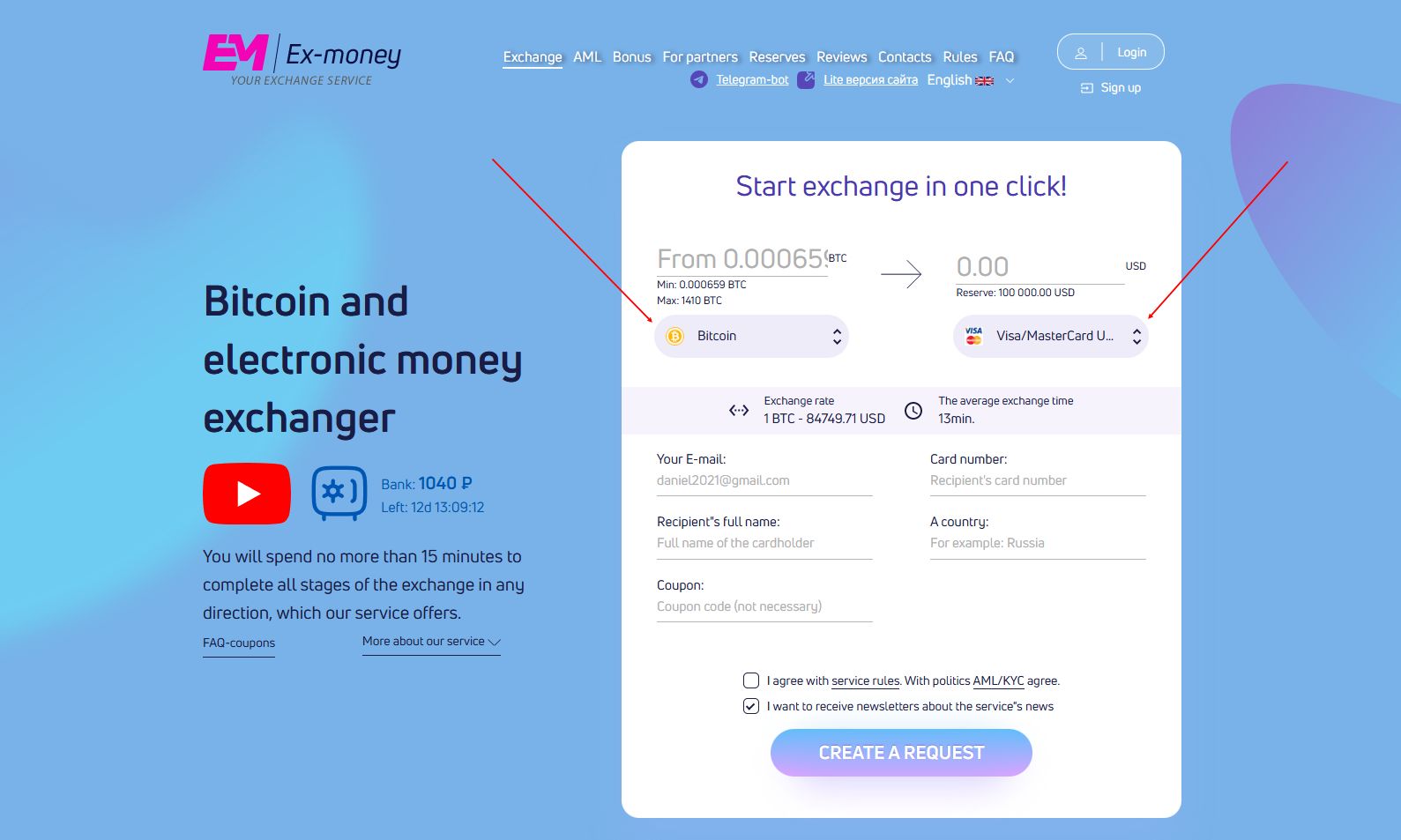
Please note:
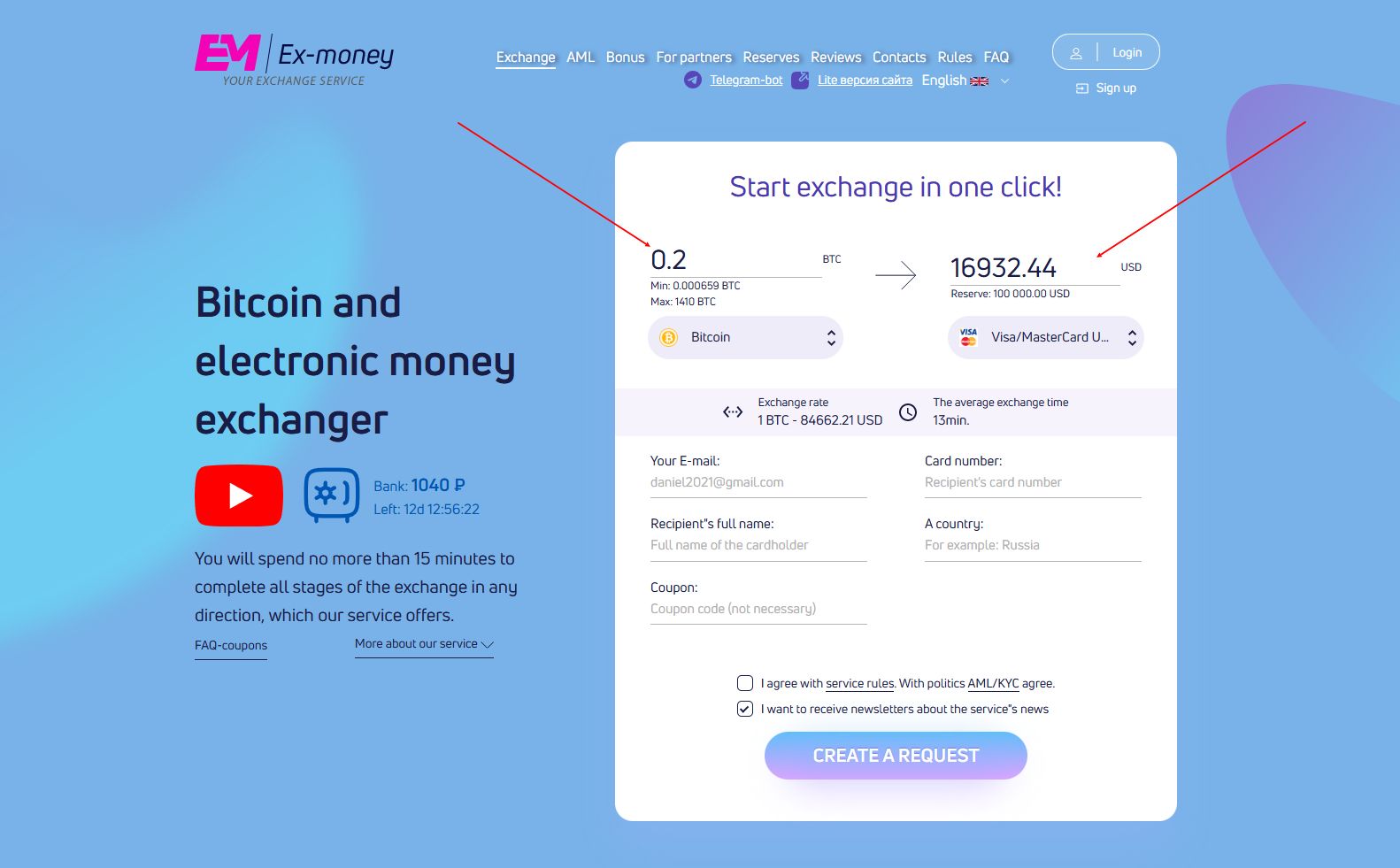
Enter the amount in BTC you want to exchange, or specify the desired amount in dollars (or another currency) you want to receive on your card.
The service will automatically calculate:
Fill in the prompt fields with all the necessary information to complete the exchange.
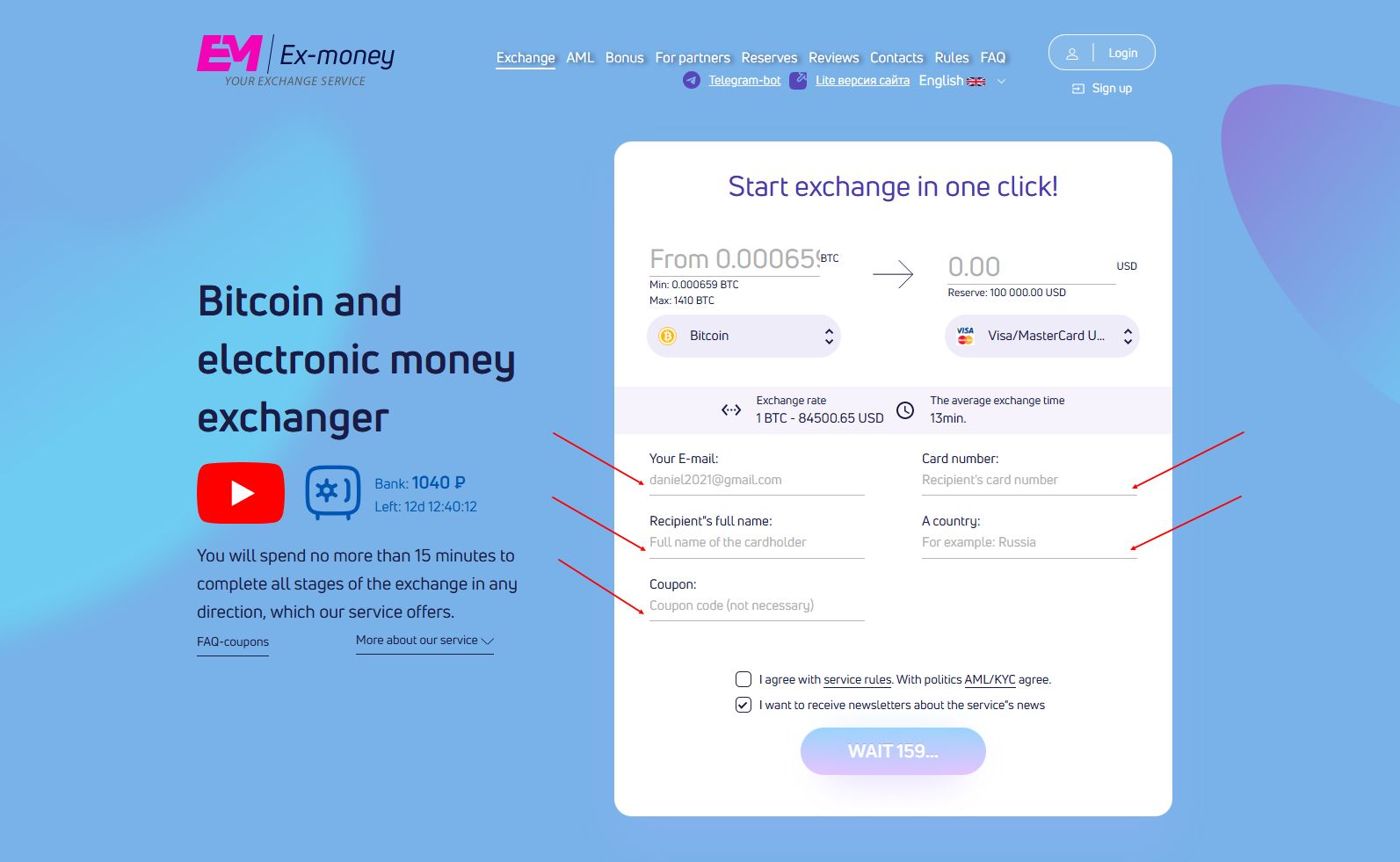
Important :
After filling in all the fields, carefully review the information. If everything is correct, click "Create Request. "
Important :
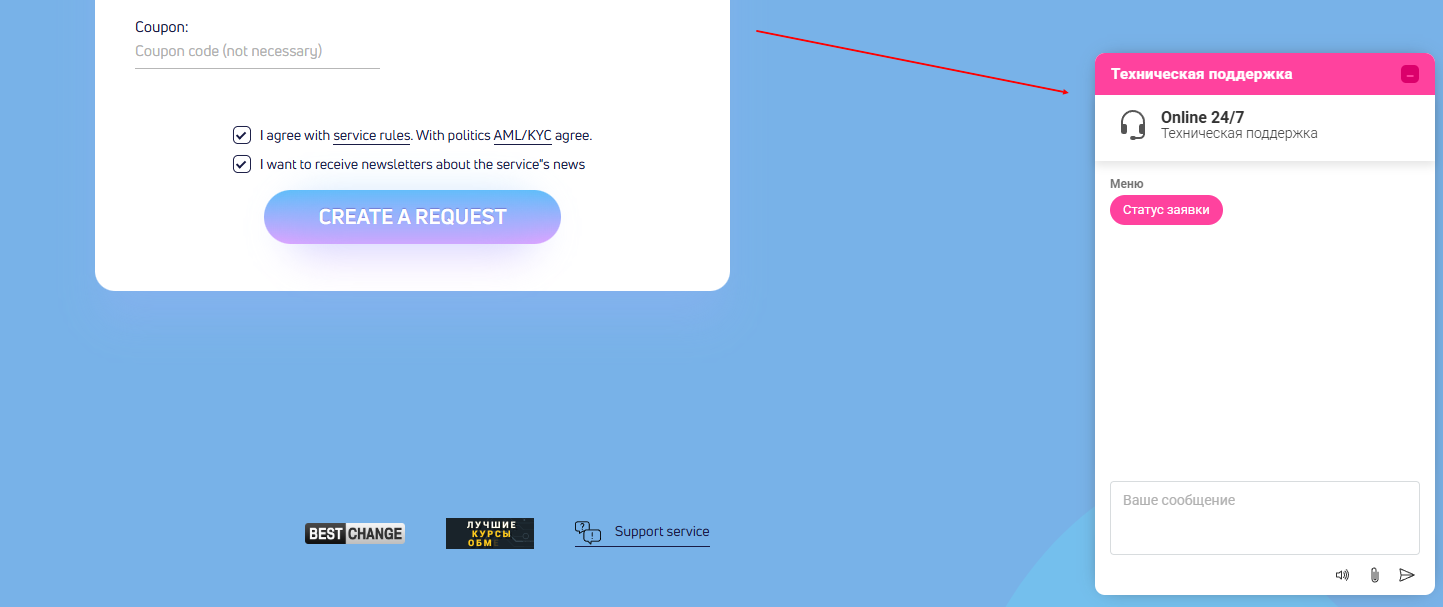
Before clicking the "Create Request" button, you must confirm your agreement with the service rules and AML/KYC policy. To do so, follow the links to review and confirm.
The service will generate a Bitcoin address for sending your funds. This address is valid for a limited time (usually 15 minutes).
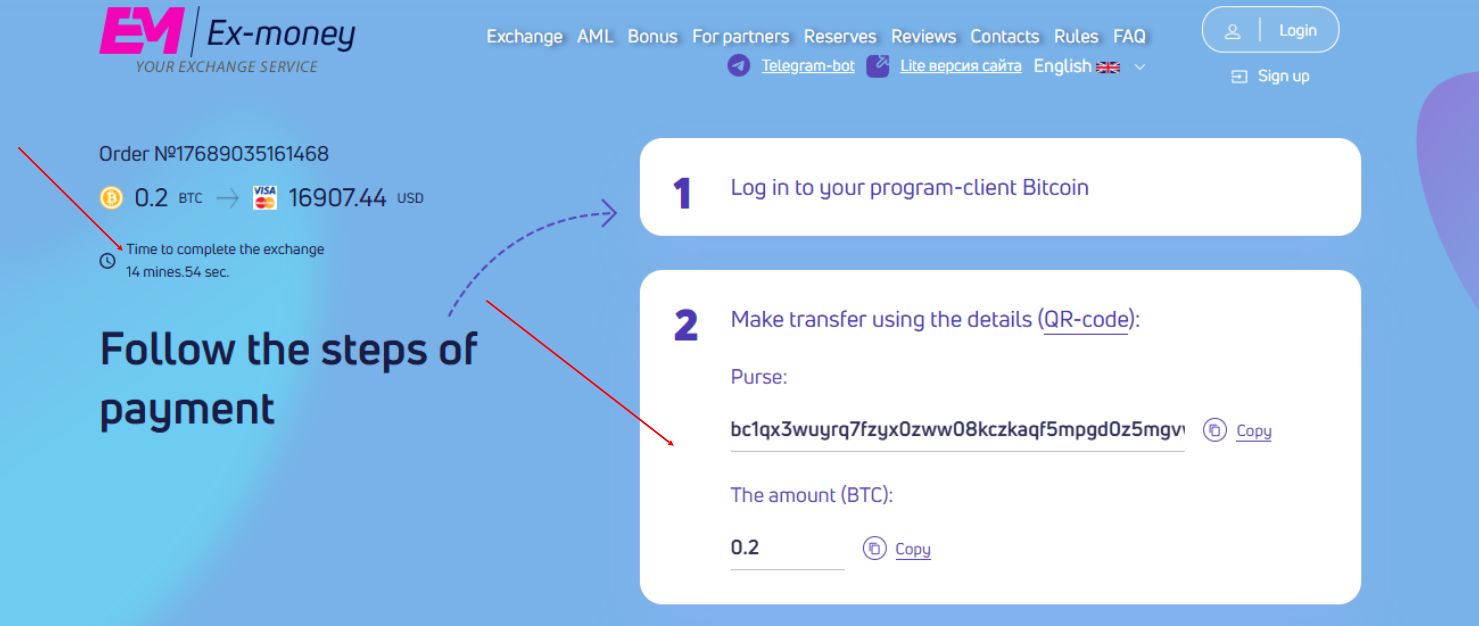
Now you need to:
Recommendation : Whenever possible, send BTC with the network fee included to ensure the transaction goes through quickly. To speed things up, you can select a "priority" fee in your wallet.
Important :
Before sending BTC, double-check the card details you provided for the card you will be receiving the payment to.
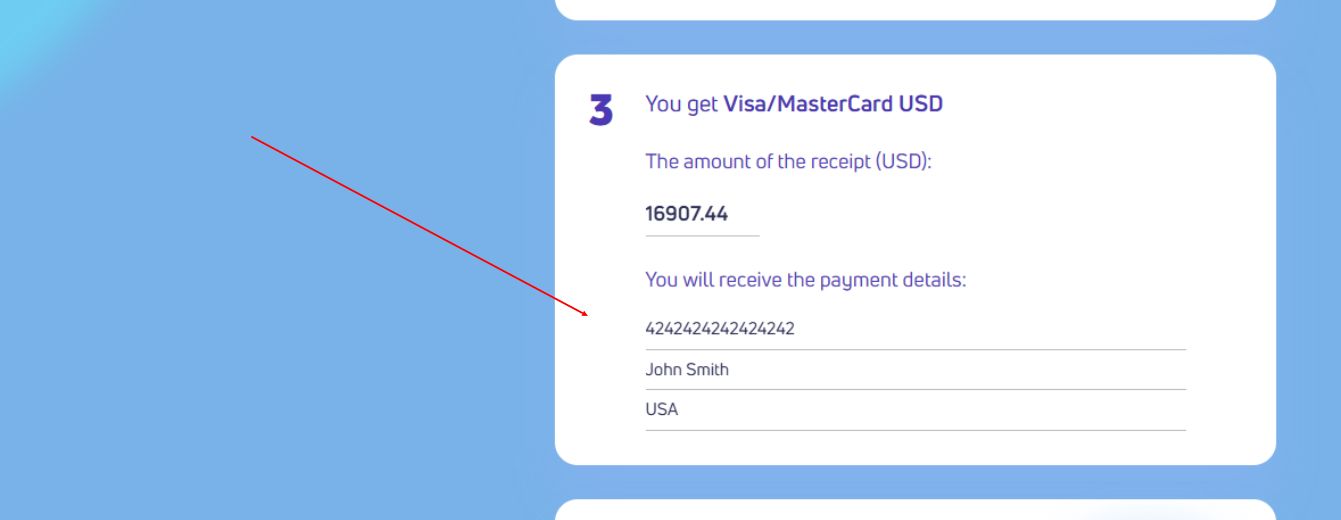
After sending BTC, click the "I paid" button

After sending BTC, you can track the exchange status in real time:
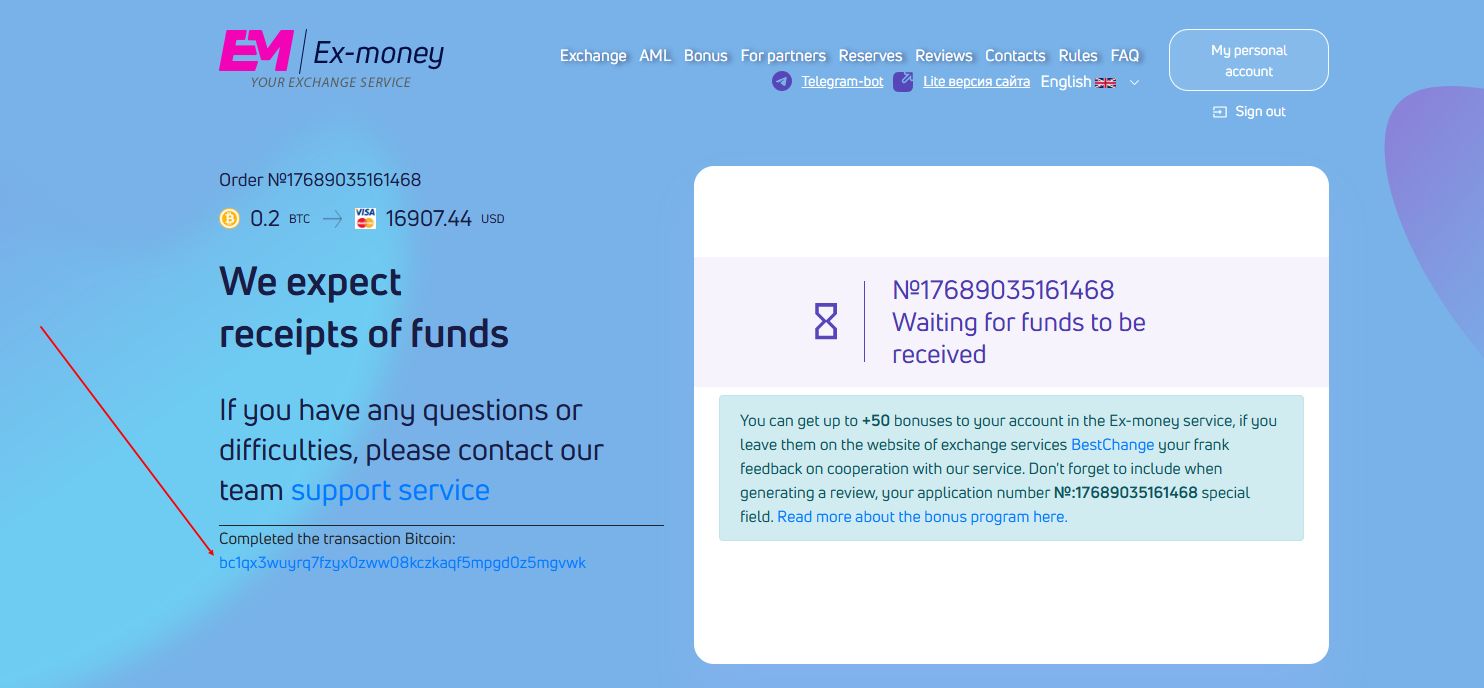
Once the exchange is complete, the funds will be credited to your card. This typically takes 5 to 30 minutes , but in rare cases it can take up to several hours (depending on the issuing bank).
Check your card balance through the bank's mobile app or online banking.
Incorrect card number - always double-check the number. Errors in one digit will result in loss of funds.
Expired BTC address - the address is valid for ~15 minutes. Don't delay sending.
The card does not accept top-ups - make sure that the card allows you to accept transfers from third parties.
There are not enough confirmations in the blockchain - the exchanger is waiting for two confirmations. This is normal.
If you encounter any problems, please use the online support chat on the Ex-money website. Operators respond promptly.
Exchanging Bitcoin for Visa/MasterCard USD via Ex-money is one of the easiest and safest ways to convert cryptocurrency into fiat. The service is suitable for both beginners and experienced users, offering transparency, speed, and favorable terms.
Go to https://ex-money.net and exchange/buy cryptocurrency in just a few clicks!




 Sign up